PC的快捷指令
Windows
Mac
Linux
Instruction

记录一下常见PC的快捷指令,主要是博主经常忘记,这里记录一下,方便后续查看。
Windows
终端配置
Windows 终端增强配置速查
基础环境
# 安装 PowerShell 7(管理员)
winget install Microsoft.PowerShell

# 创建配置文件
if (!(Test-Path $PROFILE)) { New-Item -Path $PROFILE -ItemType File -Force }
notepad $PROFILE
核心配置
# 历史预测与提示
Set-PSReadLineOption -PredictionSource History
Set-PSReadLineOption -PredictionViewStyle InlineView

# 快捷键:Ctrl+A/E 跳转行首行尾
Set-PSReadLineKeyHandler -Key Ctrl+a -Function BeginningOfLine
Set-PSReadLineKeyHandler -Key Ctrl+e -Function EndOfLine

# 上下箭头匹配前缀
Set-PSReadLineKeyHandler -Key UpArrow -Function HistorySearchBackward
Set-PSReadLineKeyHandler -Key DownArrow -Function HistorySearchForward

# 默认 UTF-8
$PSDefaultParameterValues['*:Encoding'] = 'UTF8'
[Console]::OutputEncoding = [System.Text.Encoding]::UTF8
工具安装
# 安装(PowerShell 7 中执行)
winget install lsd
winget install sharkdp.bat --name bat

# 若提示找不到命令,修复 Path(执行后重启终端)
$lsdPath = "${env:LOCALAPPDATA}\Microsoft\WinGet\Packages\lsd-rs.lsd_Microsoft.Winget.Source_8wekyb3d8bbwe"
$batPath = (Get-ChildItem "${env:LOCALAPPDATA}\Microsoft\WinGet\Packages" -Recurse -Filter "bat.exe" | Select-Object -First 1).DirectoryName
$userPath = [Environment]::GetEnvironmentVariable("Path", "User")
[Environment]::SetEnvironmentVariable("Path", "$userPath;$lsdPath;$batPath", "User")
别名设置
function ls { lsd $args }
function ll { lsd -la $args }
function la { lsd -a $args }
function cat { bat -p $args }      # 纯文本兼容
function catl { bat $args }         # 带高亮行号
验证指令
lsd --version        # 显示版本即成功
bat README.md        # 高亮显示文件
Get-PSReadLineOption | Select-Object PredictionSource  # 检查预测开启
Mac
删除
- 清空废纸篓:
Cmd + Shift + Delete - 直接删除不经过废纸篓:
Option + Cmd + Delete - 反向删除:
Fn + Delete
命令行指令提示插件
# 安装插件
mkdir -p ~/.oh-my-zsh/custom/plugins

git clone https://github.com/zsh-users/zsh-autosuggestions \
  ~/.oh-my-zsh/custom/plugins/zsh-autosuggestions

git clone https://github.com/zsh-users/zsh-syntax-highlighting \
  ~/.oh-my-zsh/custom/plugins/zsh-syntax-highlighting

# 注册插件生效
code ~/.zshrc

# 找到 plugins=()
# 改成 plugins=(git zsh-autosuggestions zsh-syntax-highlighting)

source ~/.zshrc # 配置生效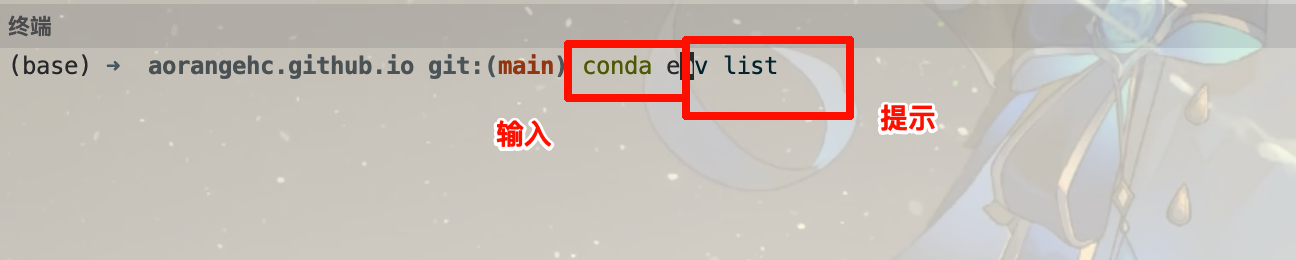
命令行快速到行首尾
快速把光标跳到行首的默认快捷键是:
Ctrl + A快速把光标跳到行首的默认快捷键是:
Ctrl + E