Deepseek-R1-32B模型部署
在阿里云服务器部署Deepseek-R1-32B,并使用gradio进行简单可视化交互
这段时间国产大模型deepseek受到广泛关注,deepseek也开源了他们模型的参数,在huggingface上,提供了原始模型和经过不同程度蒸馏的模型
因为好奇,手边刚好也有之前白嫖的阿里云的服务器,就尝试一下本地部署的过程
本文简单介绍一下部署的过程,也提供一个gradio的示例,进行模型的使用
1、白嫖阿里云服务器
免费试用,可以选择交互式建模进行试用。
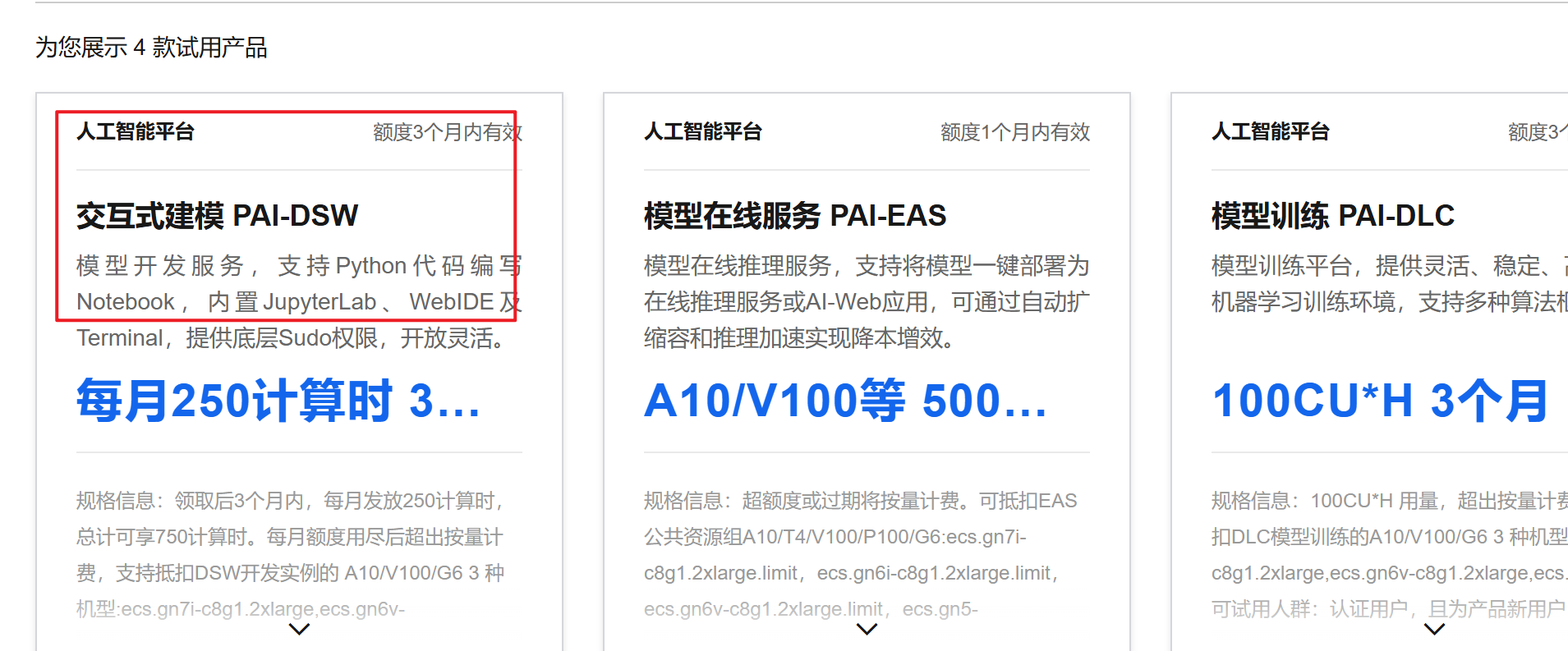
注册阿里云账号并选择试用即可
2、模型下载和加载测试
2.1、环境搭建
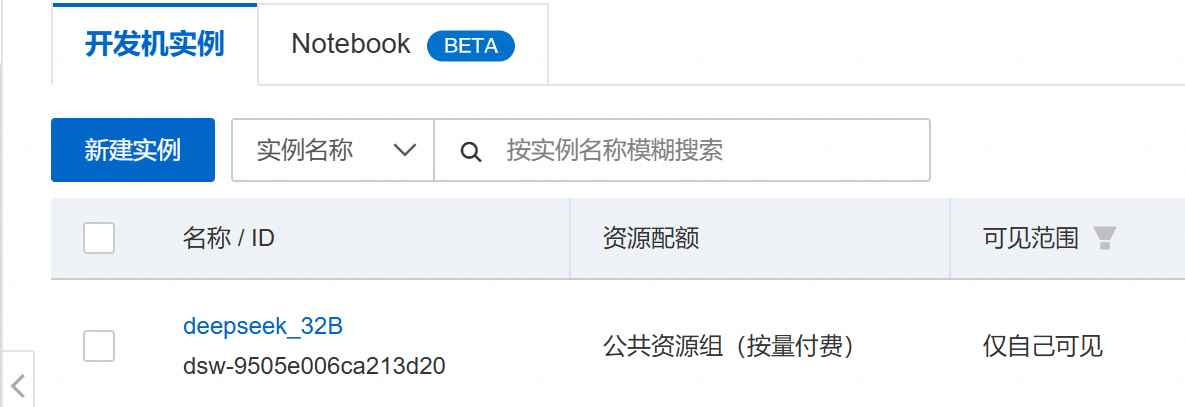
首先在阿里云创建一个实例
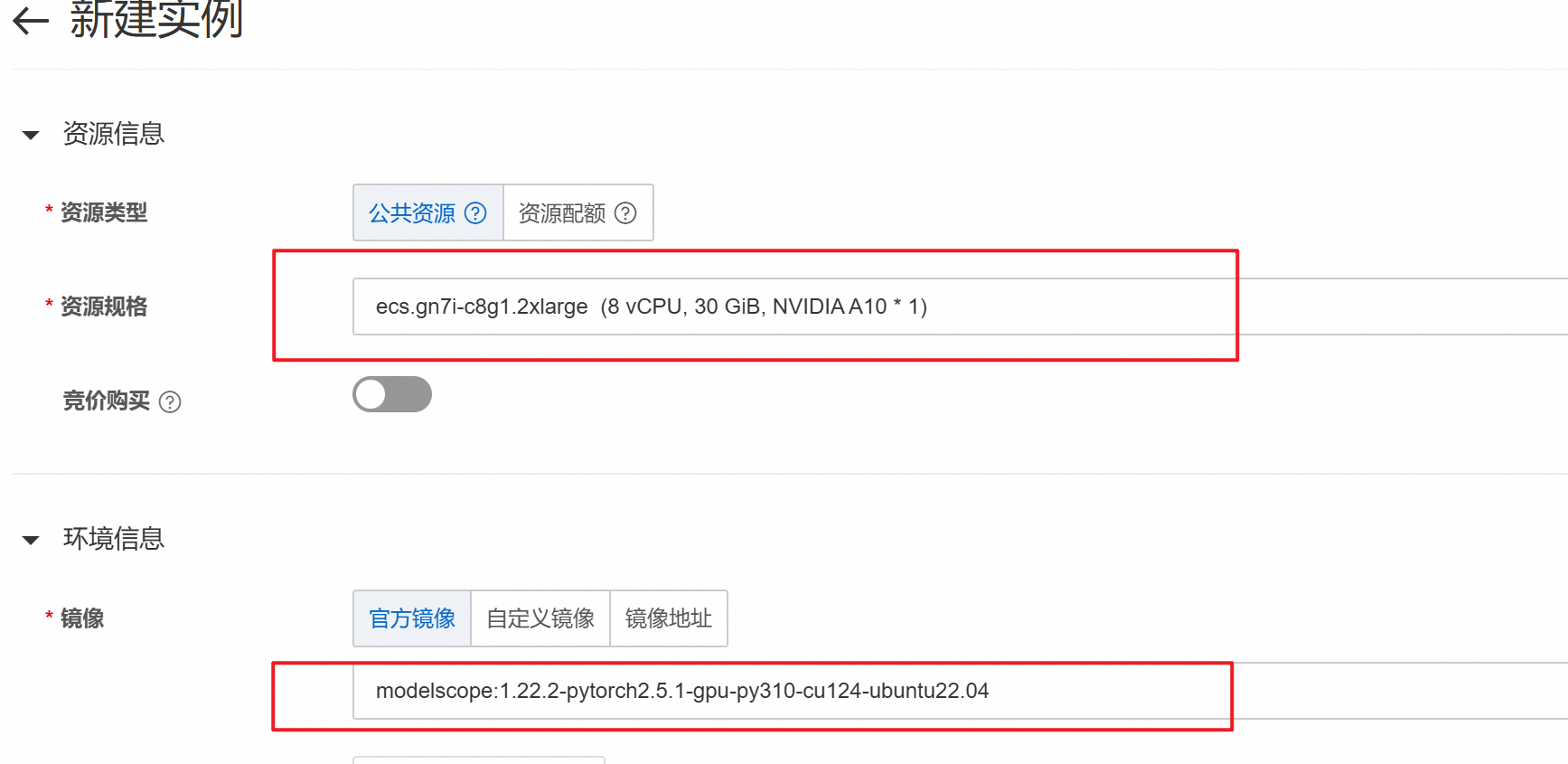
然后选择选择A10的GPU和图中所示的镜像
之后等待实例创建完成,进入实例环境,点击右上方加号,进入命令行
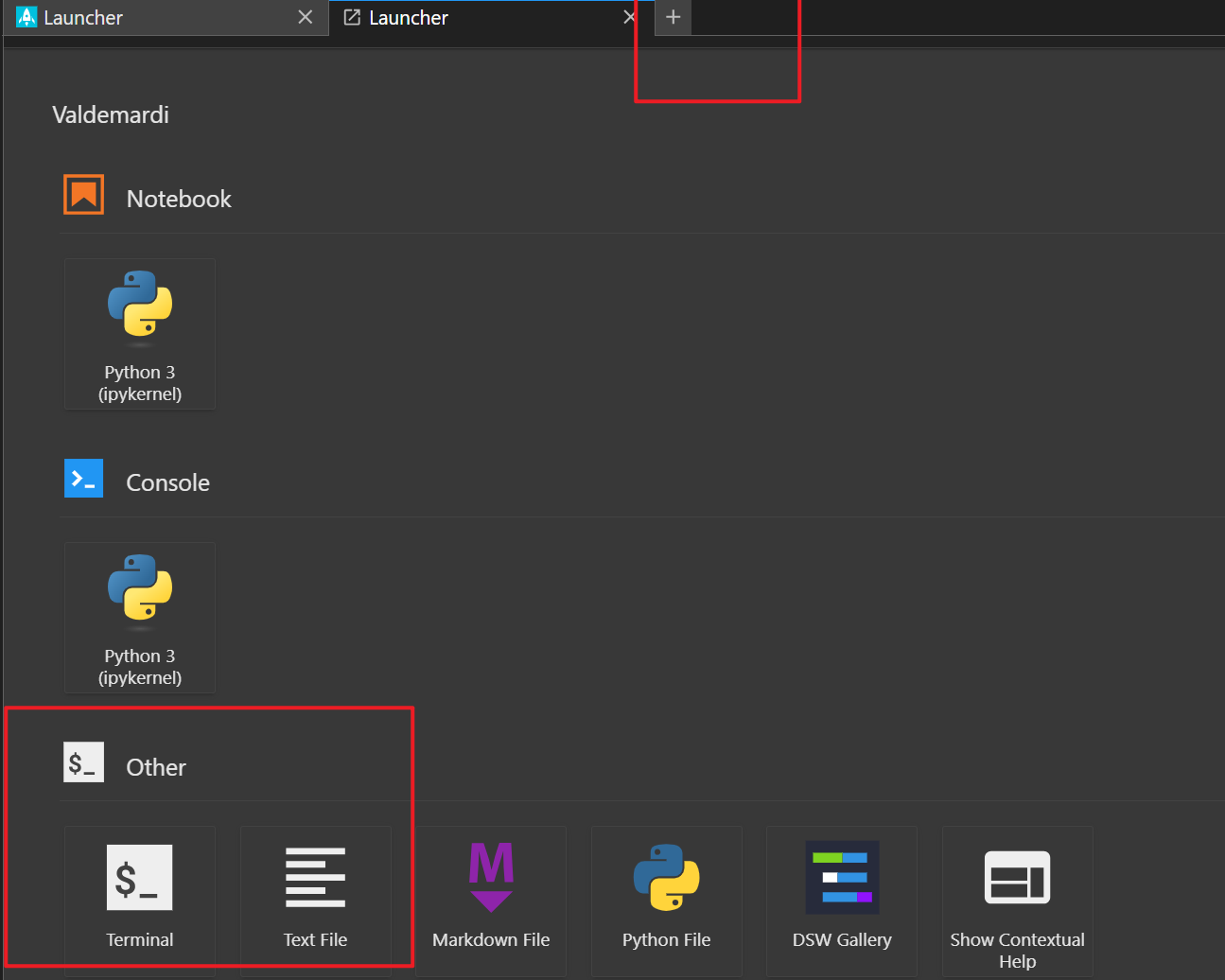
2.1、模型下载与测试
在命令行进行模型下载与测试
1、设置Hugging Face镜像源
export HF_ENDPOINT=https://hf-mirror.com2、下载DeepSeek-R1 32B模型
huggingface-cli download Valdemardi/DeepSeek-R1-Distill-Qwen-32B-AWQ --cache-dir /mnt/workspace/Valdemardi/DeepSeek-R1-Distill-Qwen-32B-AWQ3、测试模型是否能加载成功
vllm serve Valdemardi/DeepSeek-R1-Distill-Qwen-32B-AWQ --quantization awq_marlin --max-model-len 1024 --max-num-batched-tokens 2048 --max-num-seqs 1 --tensor-parallel-size 1 --port 8003 --enforce-eager --gpu_memory_utilization=0.90 --enable-chunked-prefill相关参数说明: quantization awq_marlin:启用AWQ量化,显著降低显存占用。 max-model-len 1024:设置最大序列长度为1024个token,适用于大部分NLP任务。 max-num-batched-tokens 2048:设置批量处理的token数为512,平衡处理速度和显存占用。 max-num-seqs 1:设置同时处理的序列数为1,避免多序列处理带来的显存碎片。 tensor-parallel-size 1:禁用 tensor 并行,最大化利用显存。 port 8003:设置服务监听端口为8003。 enforce-eager:启用 eager 模式,加快推理速度。 gpu_memory_utilization 0.90:设置显存使用率为98%,尽可能多地利用显存。 enable-chunked-prefill:启用分块预填充,减少显存碎片。
3、gradio交互
使用gradio加载vllm推理模型,进行可视化交互,使用的代码如下:
import gradio as gr
import requests
from subprocess import Popen, PIPE
import threading
import time
import json

# ============== 配置参数 ==============
MODEL_NAME = "DeepSeek-R1-Distill-Qwen-32B-AWQ"
VLLM_PORT = 8003
GRADIO_PORT = 7860

VLLM_CMD = [
    "vllm", "serve", MODEL_NAME,
    "--quantization", "awq",
    "--max-model-len", "1024",
    "--max-num-batched-tokens", "2048",
    "--max-num-seqs", "1",
    "--tensor-parallel-size", "1",
    "--port", str(VLLM_PORT),
    "--gpu-memory-utilization", "0.9",
    "--enforce-eager",
    "--disable-log-requests",
    "--swap-space", "16"
]

# ============== 服务管理类 ==============
class VLLMServer:
    def __init__(self):
        self.process = None
        self._ready = threading.Event()
        self.start_time = time.time()

    def start(self):
        try:
            print(f"正在加载模型 {MODEL_NAME}...")
            self.process = Popen(VLLM_CMD, stdout=PIPE, stderr=PIPE, text=True)

            def log_monitor():
                while self.process.poll() is None:
                    line = self.process.stderr.readline()
                    if "Uvicorn running" in line:
                        print("vLLM服务启动成功!")
                        self._ready.set()
                    if time.time() - self.start_time > 600:
                        print("模型加载超时,请检查显存是否足够")
                        self.process.terminate()
                    print("[vLLM]", line.strip())

            threading.Thread(target=log_monitor, daemon=True).start()
            return True
        except Exception as e:
            print(f"vLLM启动失败: {str(e)}")
            return False

    def is_ready(self, timeout=600):
        return self._ready.wait(timeout=timeout)

# ============== 提示词构建 ==============
def build_prompt(history):
    prompt = "<|beginofutterance|>system\n你是一个智能助手<|endofutterance|>\n"
    for entry in history:
        if entry["role"] == "user":
            prompt += f"<|beginofutterance|>user\n{entry['content']}<|endofutterance|>\n"
        elif entry["role"] == "assistant":
            prompt += f"<|beginofutterance|>assistant\n{entry['content']}<|endofutterance|>\n"
    prompt += "<|beginofutterance|>assistant\n"
    return prompt

# ============== 流式生成逻辑 ==============
def stream_generator(history):
    try:
        response = requests.post(
            f"http://localhost:{VLLM_PORT}/v1/completions",
            headers={"Content-Type": "application/json"},
            json={
                "model": MODEL_NAME,
                "prompt": build_prompt(history),
                "max_tokens": 512,
                "temperature": 0.7,
                "top_p": 0.9,
                "stop": ["<|endofutterance|>"],
                "stream": True
            },
            stream=True,
            timeout=120
        )
        response.raise_for_status()

        full_response = ""  # 用于缓存完整的助手回答
        for chunk in response.iter_lines():
            if chunk:
                decoded = chunk.decode().replace("data: ", "")
                try:
                    data = json.loads(decoded)
                    token = data["choices"][0]["text"]
                    full_response += token
                    yield full_response  # 返回完整的生成内容(逐步追加)
                except:
                    pass

    except requests.exceptions.ConnectionError:
        yield "服务未就绪,请稍后重试"
    except Exception as e:
        yield f"请求失败: {str(e)}"

# ============== 界面布局 ==============
with gr.Blocks(title="DeepSeek-32B vLLM版") as demo:
    gr.Markdown("## DeepSeek-R1-32B 智能助手 (vLLM版)")

    status = gr.Textbox(label="服务状态", interactive=False)
    chatbot = gr.Chatbot(
        height=500,
        type="messages",
        label="对话历史",
        avatar_images=("user.png", "bot.png")
    )
    msg = gr.Textbox(label="输入消息", placeholder="请输入您的问题...")
    clear = gr.Button("清空历史", variant="secondary")

    def user(user_message, history):
        return "", history + [{"role": "user", "content": user_message}]

    def bot(history):
        if not history or history[-1]["role"] != "user":
            yield history
            return

        history.append({"role": "assistant", "content": ""})  # 添加空的助手消息
        full_response = ""  # 用于存储完整回答
        for chunk in stream_generator(history):
            full_response = chunk  # 缓存生成的内容
            yield history[:-1] + [{"role": "assistant", "content": full_response}]  # 更新生成的回答

        # 最终更新完整历史记录
        history[-1]["content"] = full_response
        yield history

    msg.submit(user, [msg, chatbot], [msg, chatbot], queue=True).then(
        bot, chatbot, chatbot
    )
    clear.click(lambda: [], None, chatbot, queue=False)

    # 状态检查
    demo.load(
        fn=lambda: "服务已就绪" if vllm_server.is_ready() else "启动中...",
        outputs=status
    )

if __name__ == "__main__":
    vllm_server = VLLMServer()
    print("正在启动vLLM服务...")
    threading.Thread(target=vllm_server.start, daemon=True).start()

    if vllm_server.is_ready():
        print("启动Gradio界面...")
        demo.launch(
            server_name="0.0.0.0",
            server_port=GRADIO_PORT,
            share=False
        )
    else:
        print("服务启动失败")
4、效果测试
4.1、运行脚本,查看gradio界面
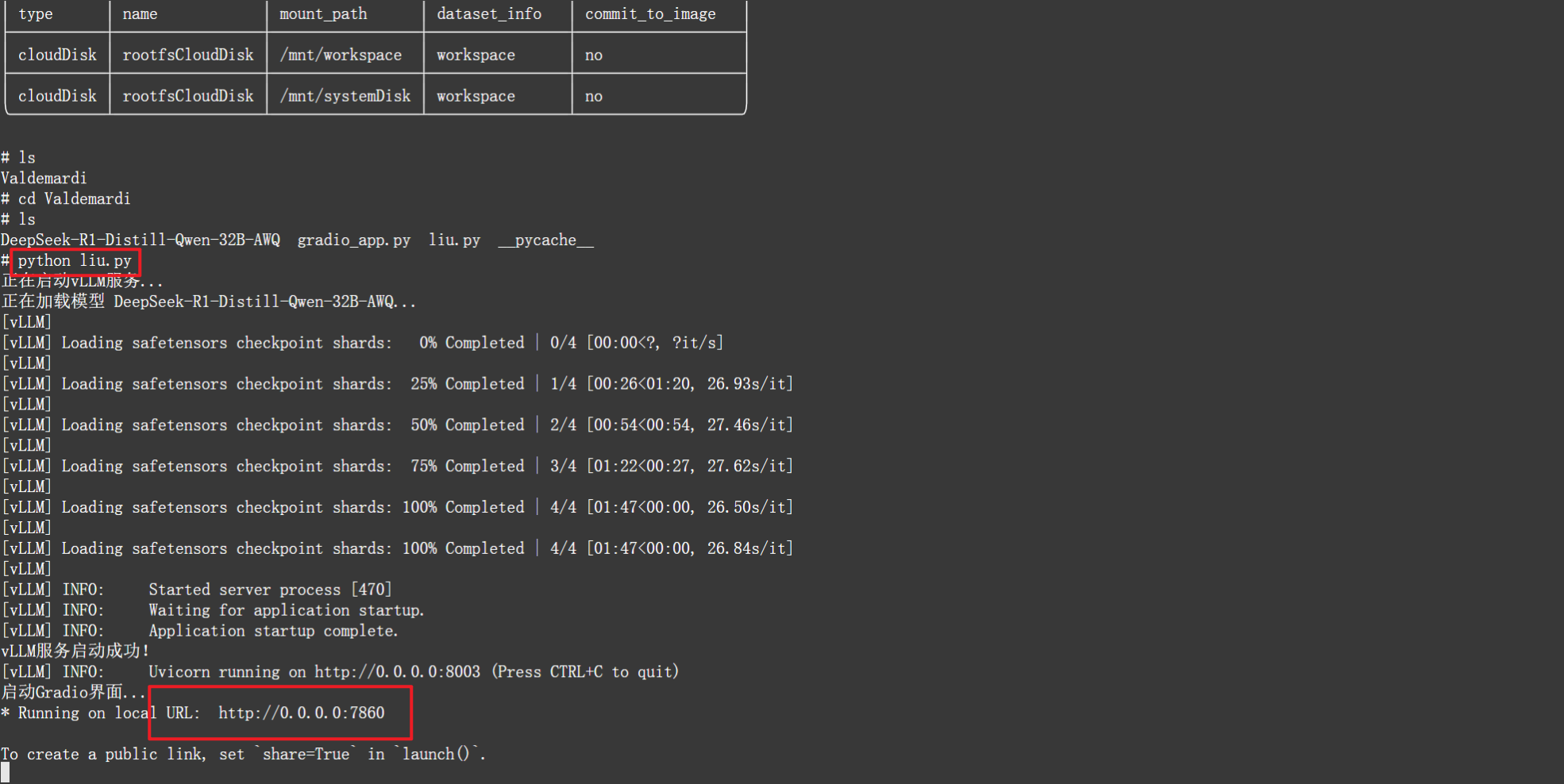
运行成功后点击下方链接即可打开界面
4.2、测试
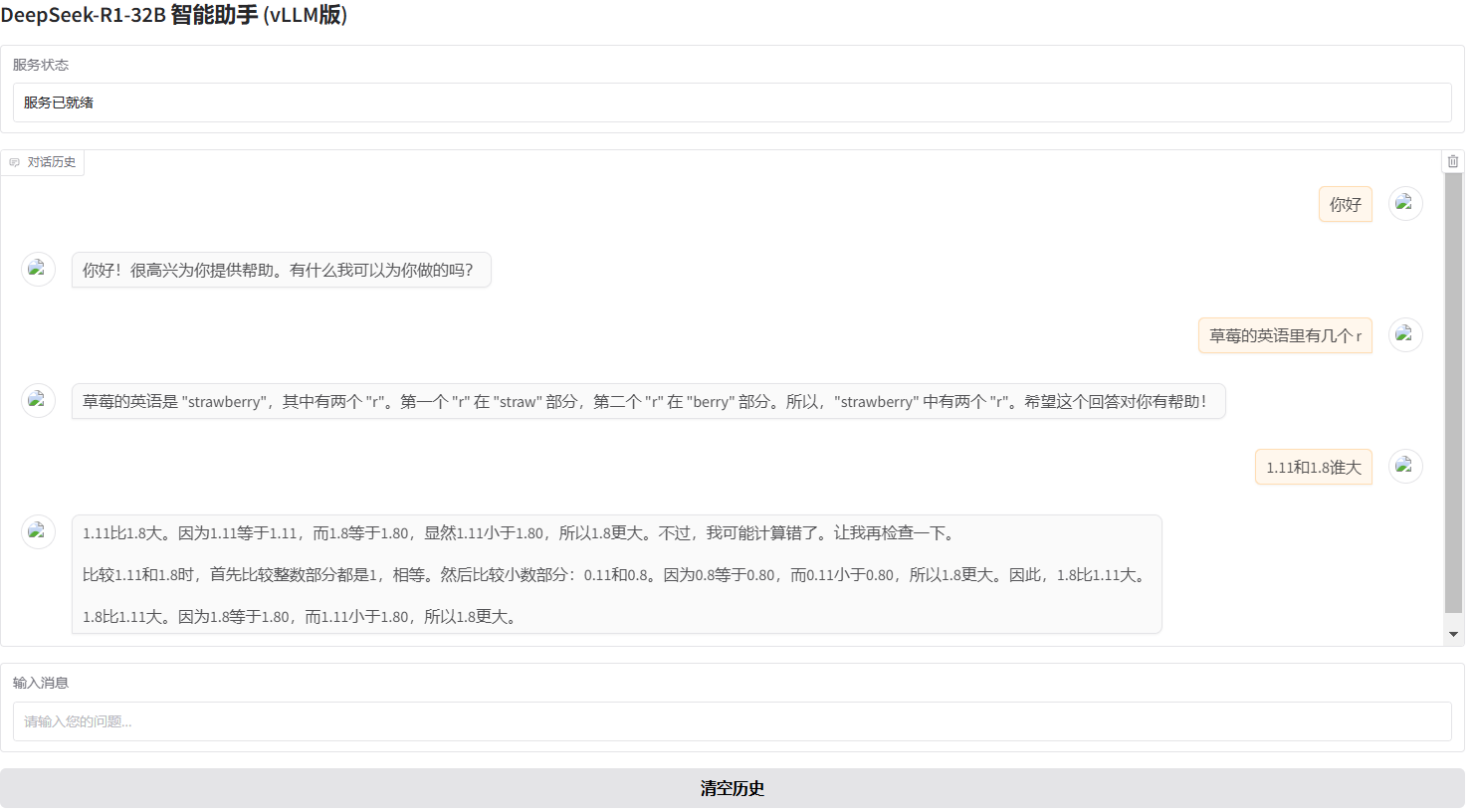
从图中测试可以看出,数学方面好像有提升,但是草莓问题中的’r’还是不能数出有多少